# Neural Network — Padel Ball Detection import torch import torch.nn as nn from ultralytics import YOLO model = YOLO("yolov8x-padel.pt") model.conf = 0.85 model.iou = 0.45 # Convolutional layers for ball tracking class BallTrackNet(nn.Module): def __init__(self): super().__init__() self.conv1 = nn.Conv2d(3, 64, 3) self.conv2 = nn.Conv2d(64, 128, 3) self.conv3 = nn.Conv2d(128, 256, 3) self.pool = nn.MaxPool2d(2) self.fc = nn.Linear(256, 2) self.relu = nn.ReLU() def forward(self, x): x = self.relu(self.conv1(x)) x = self.pool(x) x = self.relu(self.conv2(x)) x = self.pool(x) x = self.relu(self.conv3(x)) return self.fc(x) # Training pipeline optimizer = torch.optim.Adam( model.parameters(), lr=3e-4, weight_decay=1e-5 ) loss_fn = nn.MSELoss() for epoch in range(100): for batch in dataloader: frames, labels = batch pred = model(frames) loss = loss_fn(pred, labels) loss.backward() optimizer.step() # Inference — Real-time detection with torch.no_grad(): detections = model.predict( source="rtsp://cam:8554/court1", stream=True, device="cuda:0" ) # Trajectory prediction trajectory = torch.tensor([ [0.42, 0.81], [0.45, 0.73], [0.51, 0.62], [0.58, 0.55], ]) velocity = trajectory[1:] - trajectory[:-1] bounce_frame = velocity[:, 1].sign().diff().argmax() # Transformer model — shot classification class ShotClassifier(nn.Module): def __init__(self): super().__init__() self.encoder = nn.TransformerEncoder( nn.TransformerEncoderLayer( d_model=512, nhead=8, dim_feedforward=2048, dropout=0.1 ), num_layers=6 ) self.classifier = nn.Sequential( nn.Linear(512, 256), nn.ReLU(), nn.Dropout(0.2), nn.Linear(256, 7) ) # shots: smash, volley, lob, # bandeja, vibora, chiquita, drive LABELS = ["smash", "volley", "lob", "bandeja", "vibora", "chiquita", "drive"] # Heatmap generation positions = tracker.get_all_positions() heatmap = np.histogram2d( positions[:, 0], positions[:, 1], bins=50 )[0] heatmap = cv2.GaussianBlur( heatmap, (15, 15), 0 ) # Court line detection — OpenCV edges = cv2.Canny(gray, 50, 150) lines = cv2.HoughLinesP( edges, 1, np.pi/180, threshold=100, minLineLength=80 ) # Repeat for scroll model = YOLO("yolov8x-padel.pt") optimizer = torch.optim.Adam( model.parameters(), lr=3e-4 )
>CI|
COURTINTEL

Smart automation
for padel venues

Personalised announcements, intelligent lighting, per-court music and live dashboards — all powered by your Playtomic bookings. Zero staff. Zero effort.

And the same bookings are read for trends. Occupancy and revenue, week on week, so an hour that has quietly stopped selling reaches you while there is still time to fill it — not in next quarter's accounts.

Works with Playtomic, the booking platform used by 6,500+ venues across Europe

Lights that follow
the bookings

Each court’s floodlights come on just before its booking starts and go off just after it ends, straight from your Playtomic bookings. No timers to set, no one at the panel, and no lights burning over empty courts.

0courts lit
0courts booked
0lit with no booking
Illustration with sample bookings. On the live system: on 1 minute before, off 2 minutes after.How lighting control works

No one on the desk?
Their phone opens the gate

Players enter the email from their Playtomic booking on your club’s page and the gate opens for their slot. The court lights are already on, and one more tap saves replays of their best points.

  • Their booking is the keyA code for their slot, or an Open the gate button on their phone. It works from shortly before the booking starts until just after it ends.
  • Everyone on the booking gets inAny player on the booking can open it, and one tap sends the code to the rest of the group.
  • No app, no front deskA QR card at the gate opens your club’s page. Staff keep a daily code, and every entry is logged on your dashboard.
  • Then the matchLights on for the booking, scores and replays from the same page, and lights off when it ends.
The real player page on our demo club, with sample data. Gate scenes are AI-generated.
courtintelligence.co.uk/v/your-club
The Court Intel staff dashboard: courts in use, bookings today and next on court, then a camera picture of every court, players on the courts in use and empty, unlit courts where nothing is booked, with who is on and who is next

The staff dashboard: a camera on every court, who is playing and who is next, live from your bookings. Sample club and made-up names; camera pictures are illustrations.

The Court Intel court screen: the players on court, time left, a prompt to save a great point as a replay, who is next, and a QR code for the club page

Courtside Display

Who is on, time left and who is next, with a QR code to the club page

Smart LED Court Lights

Each court lights itself for its own bookings: on just before players arrive, off as they leave

On Padel speakers

Outdoor Court Speakers

Per-court music zones with welcome announcements and closing messages

Every great point, saved and shared,
with your sponsor on it

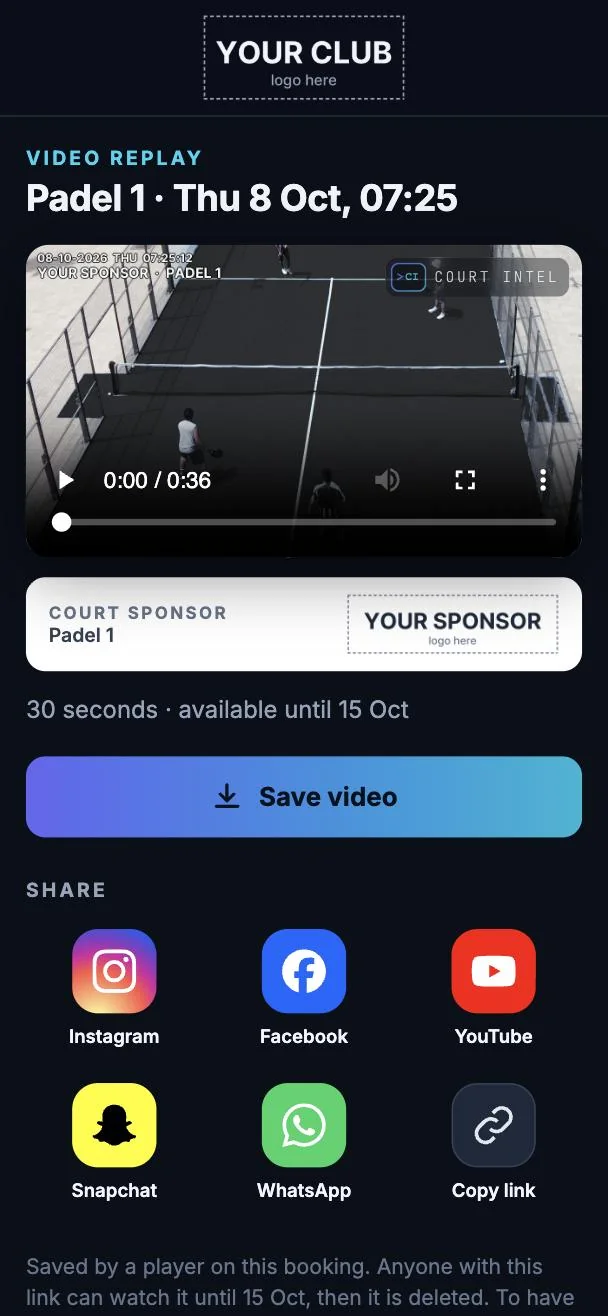
After a great point, players tap Save replay on their phone. The last 60 seconds from that court's camera arrive as a link with your club's logo and the court's sponsor, ready to share.

A replay on a player's phone: padel on a black court, the court sponsor in the picture and under the clip, with Save video and share buttons
The replay page a player receives. Club and sponsor shown as placeholders.
  • One tap, no appThe Save replay button is on each player's booking page for the length of their booking. No download, no account.
  • The last minute of playTime to finish the point and reach your phone. Cut from that court's camera and sent as a link, usually within about half a minute.
  • A sponsor on every courtIn the picture, in the panel under the clip, and on the preview card of every link a player shares.
  • Shared everywhereInstagram, Facebook, YouTube, Snapchat and WhatsApp in one tap, with your club's name on every clip.
£20a month per court, with a court camera

A court that tells people
it isn’t booked

Someone walks onto a court with no booking. The court’s camera sees them, checks your Playtomic bookings, and asks them to book or leave. If they stay, the siren sounds. No staff needed.

  • Spots people in secondsThe court camera’s own person detection, checked against your live bookings, with ten minutes’ grace either side of every session.
  • Three clear warningsThe strobe flashes and the court says it plainly: “This court is not booked. Please book your session on Playtomic, or leave the court.”
  • Then the sirenShort bursts until they leave or book. It stops the moment a booking appears, and never runs longer than ten minutes.
  • You are toldAn alert on your phone when the siren sounds, day or night. The same camera records replays and covers the court.
Filmed on a real court. Sound: the camera’s own announcement.

The number plate
opens the barrier

Car parks, staff yards and restricted areas. Registered vehicles are recognised as they arrive and the barrier opens; everyone else waits. At a padel club, the booking lets the car in as well as the player. Now taking enquiries for the first sites.

  • The plate is the passNo fobs, cards, tickets or intercom calls. A registered vehicle drives up and the barrier or gate opens.
  • Everyone on their own hoursMembers, staff, contractors for the length of a job, a delivery for one morning, and players around their booking.
  • Every vehicle on the recordEach arrival logged with the time, the entrance and a picture of the plate, and your team alerted to the ones that matter.
  • Works through a broadband cutThe list of permitted plates is held on site, so the barrier keeps opening for them when the internet does not.
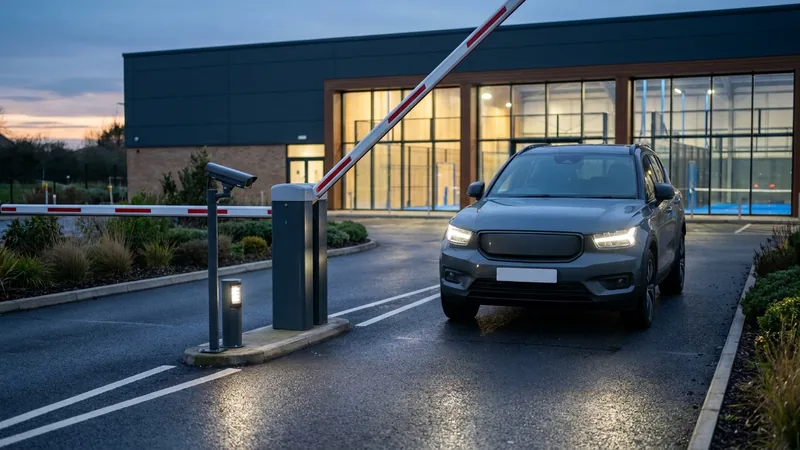
A car arriving at a padel club's car park barrier at dusk, with a number-plate camera beside the lane
17:52•••• •XTOpenedBooking 18:00, Padel 2
Illustration: the photograph is AI-generated and the log entry is an example.

Running courts shouldn't mean
running around

Most padel venues deal with the same frustrations every single day.

Wasted electricity

Court lights left on for hours after the last booking. Every night, every court — it adds up fast.

Impersonal experience

Players arrive to empty courts with no greeting. Nothing that makes your venue feel premium or memorable.

Manual closing

Someone has to remember to turn off lights, stop music, and lock up — or pay staff to do it.

Overrunning sessions

Players lose track of time. The next group arrives to find the court still occupied.

Everything your courts need,
fully automated

Court Intel reads your Playtomic bookings, runs your venue, and keeps watching the numbers once it has.

Instant Replay Button

A button on each court saves the last 30 seconds of play. Court Intel already knows who booked, so the clip goes straight to the players on that booking as a link: no app to download, no account, no QR code to scan. Every clip carries your club's logo, ready to share, and nothing leaves the building unless someone presses the button.

Trends, and Early Warning

Every booking feeds an occupancy and revenue picture built from your own figures. When a Tuesday evening starts slipping, or an hour you normally fill goes quiet, you hear about it that morning — not in next quarter's accounts.

Personalised Announcements

Players hear their names when they arrive: "Jack, Daniel and Euan — your court is ready." Personalised closing messages too.

Smart Court Lighting

Lights on 1 minute before each booking, off 2 minutes after. Per-court control — only courts in use are lit.

Per-Court Music Control

Independent volume, playlist and genre per court. Players can pick from approved playlists via QR code.

Live Cloud Dashboard

See every court in real time. Toggle lights, send messages, view cameras, and manage your venue from anywhere.

Court Cameras & CCTV

A camera on every court and the gate, viewed from the staff dashboard right beside that court's bookings, with a clear marker where no camera is fitted. Footage records on the controller inside your building on a rolling seven-day loop, so nothing streams out over your broadband, and the same cameras power the replay button.

Courtside Display Screens

Shows who's playing, time remaining, up next — plus your club branding and social media QR codes.

Dimmable Lighting

Dim for atmosphere, full brightness for matches. Set custom levels per court from the dashboard.

Real-Time Booking Sync

Checks Playtomic about every two minutes, read-only. New booking? Cancellation? Everything adjusts automatically.

Custom Court Messages

Send text-to-speech messages to any individual court instantly from the dashboard. Announcements, reminders, anything.

Keypad Access Control

Players receive a unique entry code when they book. The gate or door unlocks automatically at their session time — no staff needed to let them in. Codes expire when the booking ends. Watch it work.

Unbooked Court Alarm

The court camera spots anyone on a court with no booking, with ten minutes’ grace either side of every session. The strobe flashes and a voice warning plays three times; if they stay, the siren sounds in bursts until they leave or book, and you get an alert on your phone. Watch it work.

Courtside Shop & Equipment Hire

Players scan a QR code on the court screen to rent rackets, buy balls, or order refreshments. Payment via Apple Pay or card. No staff needed — orders appear on your dashboard instantly.

VAR Line Call Replay

Hawk-Eye for every court. Players challenge a call, AI generates a slow-motion replay with ball tracking and court line overlay in under 8 seconds. IN or OUT — no more arguments. 3 challenges per set.

Tournament Mode

Run Americano, Mexicano and Round Robin tournaments directly from the court screens. Automated draw generation, live scoring, leaderboards, and announcements. Players check in, play, and get results — no paper scorecards.

Works With Your Existing PLC

If your courts are already switched by a PLC, Court Intel talks to it directly over Modbus. On a recent install we read and wrote an existing Schneider panel with no reprogramming, no engineer’s laptop and no site visit — the unit was posted out and commissioned remotely.

Keeps Going When The Internet Drops

Today’s bookings are cached on the unit. If the venue’s broadband fails, lights carry on following the schedule instead of a booked court sitting dark. Yesterday’s cache is refused, so it never runs on stale data.

Back On After A Power Cut

The unit rewrites the desired state every 60 seconds rather than only on changes, so lights come back by themselves. The unit restarts in well under a minute — worst case is roughly two minutes dark, with nobody called out.

24/7 Support Monitoring

We are alerted automatically if a unit goes offline — and also in the quieter failure, where the unit is perfectly healthy but its booking feed has stopped answering and the lights have quietly stopped following bookings.

Staff Routines, Signed Off On The Spot

Opening, changeover and closing checks live on your team’s phones instead of a clipboard nobody fills in. Staff tap the tag at the court, store room, plant room or toilets and only that location’s checks appear — nets and sand, bins, fridge temperatures, tills reconciled, doors and gates secure. Photos attach where evidence matters, faults are raised the moment they are spotted, and the manager sees the whole day in one view.

Staff Rota, Holidays & Cover

Plan the week on the dashboard, then open any day as a timeline: who is in, their hours, first in and last out. Set your opening hours and the rota flags any time the club is open with nobody on site. Staff request holiday and name who is covering; the cover confirms by email before a supervisor can authorise it, and the shifts move across by themselves.

Staff Messaging

Email the whole team, one role or chosen people from the dashboard, and send the same message to your staff WhatsApp group in one tap. Replies come back to the club. Staff only: Court Intel never messages your customers.

Match Scorer & Monthly Leaderboard

Players score their match from any phone: points, games, sets and golden point. Finished matches can count towards a monthly table with a prize you name, and result cards share straight to Instagram, Facebook or WhatsApp.

Americano & Social Games

Run an Americano, Mexicano, Team or Mixed Americano, King of the Court or Up and Down the River from one phone: fair draws, live scores and the table. Players follow on their own phones, and at the club the game goes up on the court screens. How each format works.

Self-Serve Account & Billing

Create an account, claim your unit and manage your subscription from the website. Licences are tied to the hardware, so a unit that arrives pre-configured links itself to the right account rather than creating a duplicate.

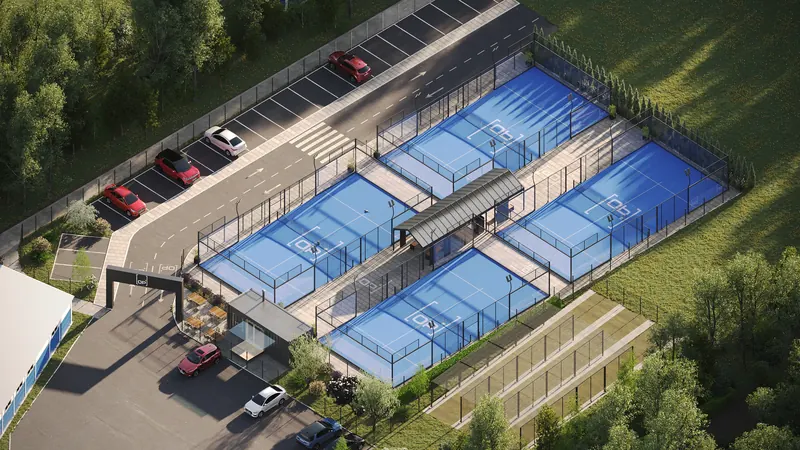
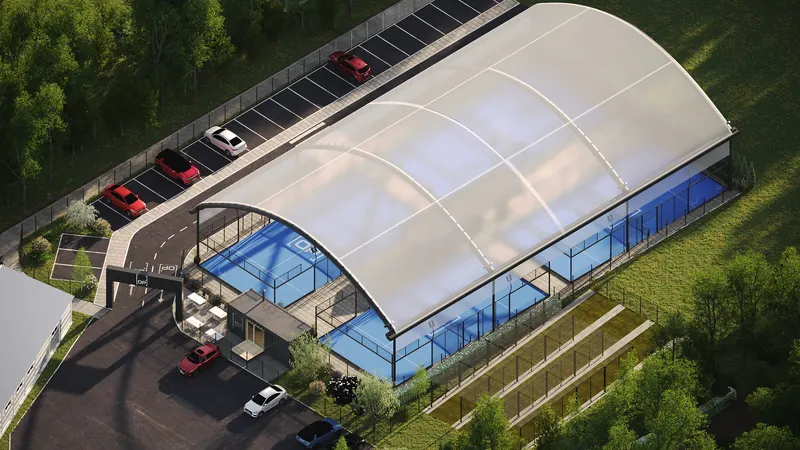
Padel courts aerial view

Smart Lighting

Courts lit only when booked

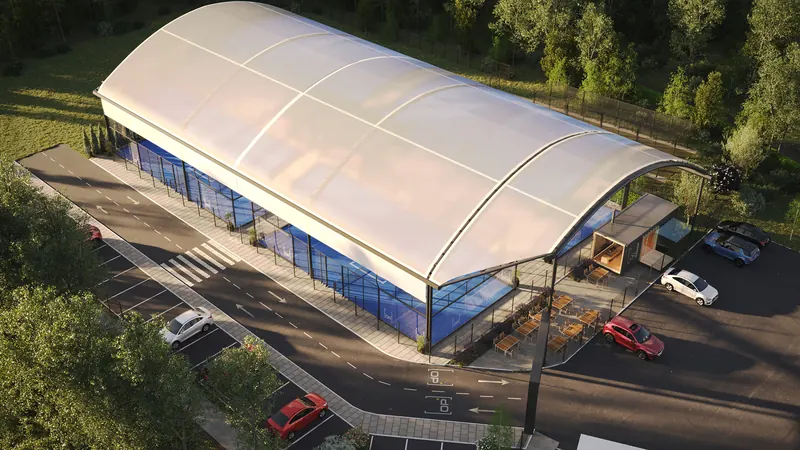
Canopied padel facility

Personalised Experience

Players greeted by name

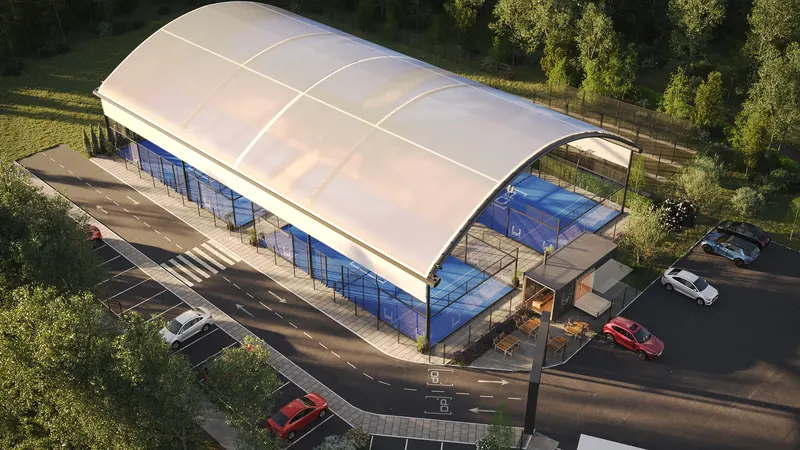
Padel court canopy design

Remote Control

Manage everything from your phone

A smart screen on every court

A screen by every court shows who is on, how long they have left and who is next, straight from your bookings. On a club social night, the scores and the table take over.

The Court Intel court screen: the players on court, time left, a prompt to save a great point as a replay, who is next, and a QR code for the club page

Live Court View

Who is on, time left, who is next, and a reminder to save great points as replays

A club Americano on the court screens: this round's matches on each court, the live table, and a QR code to follow on your phone

Social Games

An Americano or league night on every screen: matches, scores and the live table

11" Courtside Screen
In a locked wall enclosure, on wired network
Live From Your Bookings
Names, time left and who is next, updated every minute
Replay Reminder
On courts with a camera, a prompt to save great points
Social Games
Americano and league scores with the live table

In the panel,
or on the wall

A standard 9-module DIN enclosure that clips onto the same 35 mm rail as everything else in your board — or a sealed wall box where there is no board to work with. Either way it takes 24 V and an Ethernet drop and speaks Modbus to your lighting. Your electrician has fitted a hundred things that look exactly like it.

Example installation — controller, per-court metering and lighting switch

ETH
D−
D+
24V
0V
RS485POWER
>CI| COURTINTEL
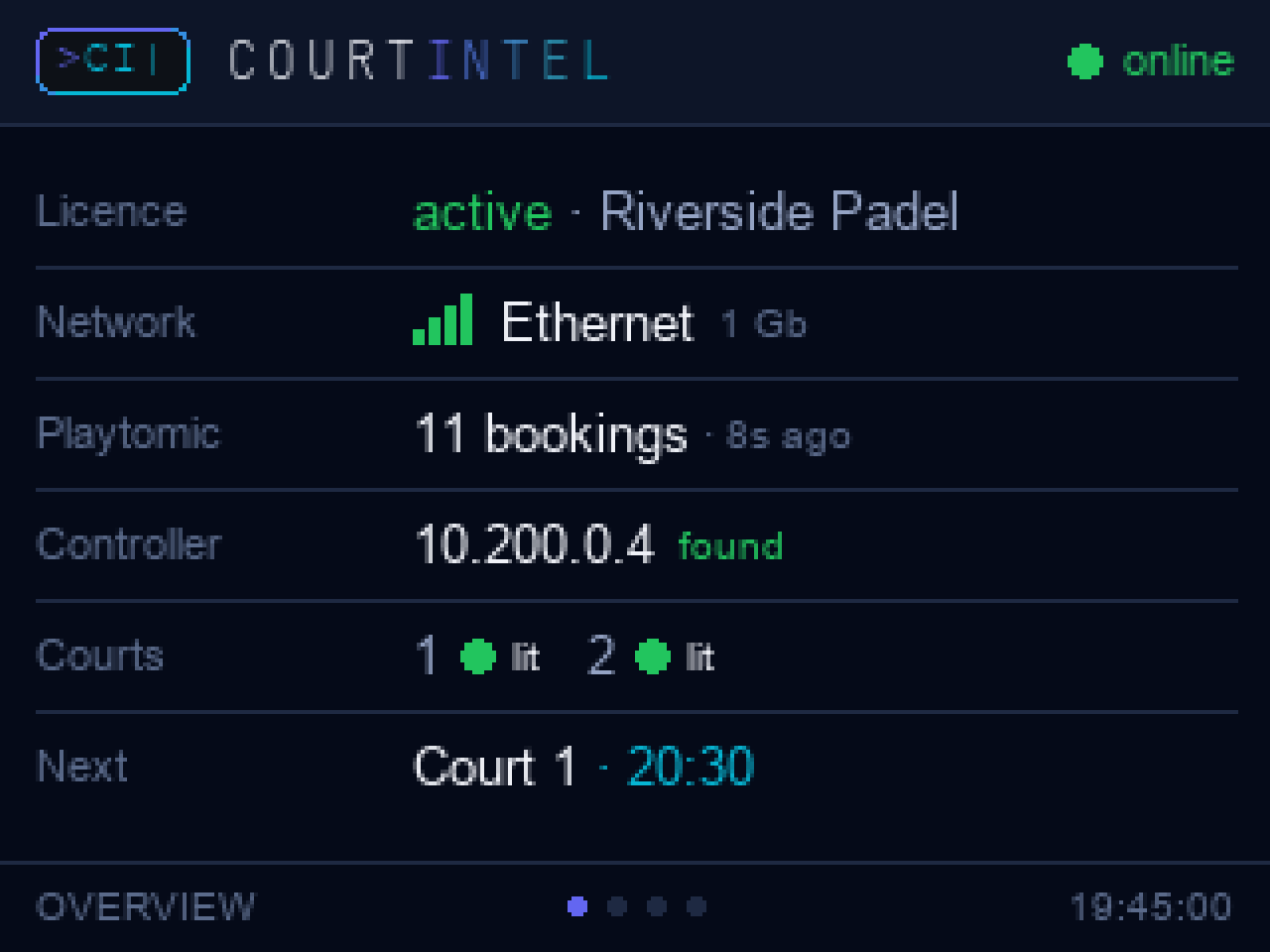
The controller's status screen: licence active, network, Playtomic bookings, controller found, both courts lit, next booking.
CI‑CTRL‑9M
C1
C2
C3
C4
In development
CTN
CTA
CTB
CTC
RS485LAN
>CI| METER
kWh per court
CI‑EM3‑4M
N
A
B
C
In development
L1
L2
L3
L4
COURT LIGHTINGLAN
>CI| SWITCH
4 × relay
CI‑SW4‑4M
N
s1
s2
s3

Shown on 35 mm top-hat rail beside a typical breaker. Metering and switching are marked where they are still in development.

Example installation — controller with a standard MID energy meter

ETH
D−
D+
24V
0V
RS485POWER
>CI| COURTINTEL
Controller status screen showing licence, network, bookings and court lighting state.
CI‑CTRL‑9M
C1
C2
C3
C4
12345.6kWh L1   L2   L3
MID · RS485 Modbus RTU

The meter is a standard MID-approved DIN unit reading on the same RS485 pair the controller already uses — your electrician fits the part they always fit, and we read it.

Example enclosure — where there is no panel to mount in

>CI| COURTINTEL
Controller status screen showing licence, network, bookings and court lighting state.
LAN
USB‑C
RS485
LTE

The same controller in a sealed wall box for venues with no distribution panel to work with — Ethernet or LTE, RS485 out to the lighting, and the screen on the front where staff can see it.

From box to fully automated
in under an hour

1

Connect

Plug the Court Intel unit into power and connect to your WiFi.

2

Link

Generate read-only API credentials in Playtomic Manager under Settings › Developer Tools, and paste them in. Court Intel syncs instantly.

3

Wire

Connect speakers and pair your smart switches for lighting.

4

Done

Courts are automated. Announcements, lights, music — handled.

❝❝
We installed Court Intel at On Padel and the reaction from players has been incredible. They love hearing their name when they arrive — it makes the whole experience feel premium. And we've cut our evening electricity bill significantly.
Tim Sharrock — On Padel, Warrington

Two plans. One price list. No quote form.

Lights follow your paid bookings, or lights and the gate do. Both are priced on your court count, with the first two courts included, and both keep working when the internet does not.

CourtsLights / monthUnstaffed / month
1–2£39£99
4£63£123
6£87£147
8£111£171  one gate included

Every court beyond the first two is £12 a month on either plan. Further gates on Unstaffed are £25 a month each. One evening of reception cover costs more than a month of Unstaffed.

Lights

Lights follow the bookings

£39
per month for up to two courts, then £12 per court
£499 installation kit  ·  cancel any time
  • Only paid bookings light a court — nothing else switches on
  • On a minute before play, off two minutes after
  • Energy monitoring per court
  • Live staff dashboard and a timestamped record of every change
  • We are alerted automatically if anything stops working
Get started How lighting control works →
No hardware

Court Intel Analytics

£49
per month, whatever your court count
14 days free  ·  no card to start  ·  cancel any time
  • Nothing to install — connect Playtomic and that is it
  • Occupancy heatmap: how full every hour of your week really is
  • Court revenue, trends and any period you choose
  • The empty hours you normally fill — and the ones you never do
  • Read-only. We never write to your Playtomic account
Start the free fortnight What Analytics shows you →
Every venue is different. Tell us your courts, doors and what you would like to automate, and we will send a tailored quotation for the hardware and installation. Build your system →

Add-ons for Lights and Unstaffed venues

Every Lights and Unstaffed venue already gets the match scorer on the door page and the padel rules guide for new players at no extra cost. Six more are optional: four priced per venue and switched on from your dashboard, plus court cameras, quoted per court with your venue, and video replay at £20 a month per court.

Club shop£25/month

Balls, grips and racket hire sold from the page players open the door with, paid on the phone and dispensed from a locker in the club. Stock, takings and every order on your dashboard; hire deposits held and released automatically.

Locker hardware quoted per venue. Card processing at Stripe's rate.
Monthly leaderboard£10/month

Finished matches count towards a public monthly table with a prize you name. Players choose whether a match counts, appear as first name and initial, and can share result and table cards to Instagram, Facebook or WhatsApp.

Per venue. Switch on and off from the dashboard at any time.
Staff messaging£10/month

Email your staff from the dashboard, everyone, a role or chosen people, and send the same message to your staff WhatsApp group in one tap. Replies go to the club.

Per venue. Staff only: Court Intel never messages your customers.
Staff rota£15/month

A weekly rota plus a day-by-day timeline of who is in, their hours, first in and last out, with a warning whenever the club is open and nobody is on site. Holiday requests name a cover, who confirms by email before a supervisor authorises; the shifts then move across by themselves. Everyone can be emailed their own shifts.

Per venue. Uses the same staff list as Staff messaging.
Court camerasQuoted/court

A camera view of every court and the gate on the staff dashboard, beside that court's bookings. Recorded on the controller in your building on a rolling seven-day loop, never streamed out over your broadband.

Cameras, fitting and the monthly fee quoted per court with your venue.
Video replay£20/court/month

Players tap Save replay on their phone and the last 30 seconds from that court's camera arrive as a link with your club's logo and the court's sponsor, ready to share to Instagram, Facebook, YouTube, Snapchat or WhatsApp. No app, no account, and only clips somebody asked for ever leave the building.

Needs Court cameras. Junior and coaching sessions are left out unless you switch them on. How replay works

All prices exclude VAT. One-offs: £499 installation kit, £899 gate access pack per gate (keypad, lock, power, commissioning), £43.86 smart breaker where a court needs one, £15 delivery. Multi-site operators: your court count is counted across the group. Every order is on our Venue Terms.

Which one? If you have someone on the desk whenever the courts are open, Lights pays for itself on electricity and staff never touch a switch. If you want to open early, close late or run the venue without a desk at all, Unstaffed is the whole answer: the booking opens the gate and lights the court, and the dashboard tells you what happened. Analytics reads your Playtomic bookings with nothing to fit, and plenty of clubs start there.

The day in padel, in your inbox

Premier Padel and the FIP, the players, partnerships, technology and new clubs across the UK and Europe, with a link to every report we used.

Free. We email you once to confirm, and every email has an unsubscribe link. Privacy

Ready to automate your venue?

Book a demo, ask a question, or register your interest. We'll get back to you within 24 hours.

One short form, whichever you pick. We answer within one working day.

What are you after?

Start your 14 days free

Your booking history already knows which hours your club fills and which it never has. See all of it on one screen — every hour by how full it really gets, what each day took, and the gaps still worth a phone call. No hardware, nothing to install.

Your opening hours are the denominator under every occupancy figure — an hour you are shut is not an empty hour. Change them any time.

14 days free · no card to start · cancel any time

Message the team